Native macOS menu bar app · $39 one-time
Speak.
It types.
Quill turns your voice into clean text in any Mac app, then helps with what is on your screen. Dictate, ask, and keep moving.
Three ways to use your voice
One hotkey between you and done.
Hold ⌥D. Just talk.
Speak naturally and the words land in whatever app has focus: Mail, Slack, your editor. Release the key and it's typed.
- Works in any Mac app
- Streamed transcription
- Auto-insert or clipboard
Private by design
No Quill cloud.
You choose the context.
Your key stays local
Your model-provider key is stored in macOS Keychain and used only by the app when you invoke a feature.
Direct from your Mac
Dictation audio and enabled context go from your Mac to the configured model provider. Quill does not run a transcription server or hosted transcript store.
Privacy Mode
One switch disables screen, selected text, clipboard, browser context, local history, content logs, and Ask/Act server-side follow-up state.
Pricing
Pay once. Dictate forever.
- One payment, no subscription
- Activates 2 Macs
- Dictation, Ask/Act, Privacy Mode & Screen Control
- Windows version coming soon
- Free updates
- License key delivered instantly
Model-provider usage is separate, typically pennies per day.
Questions, answered.
No. Quill is a one-time $39 license. Pay once and keep it, updates included.
One license activates 2 Macs. Deactivate one Mac before moving the license to another.
Yes. Quill uses your own key for its AI features. Add it once in Settings; it stays in macOS Keychain, and provider usage is billed separately, typically pennies per day.
Dictation audio and any context you enable are sent directly to the configured model provider for the feature you invoke. Clipboard context is off by default, and Privacy Mode disables screen, selected text, clipboard, browser context, local history, content logs, and Ask/Act server-side follow-up state. Quill has no hosted backend.
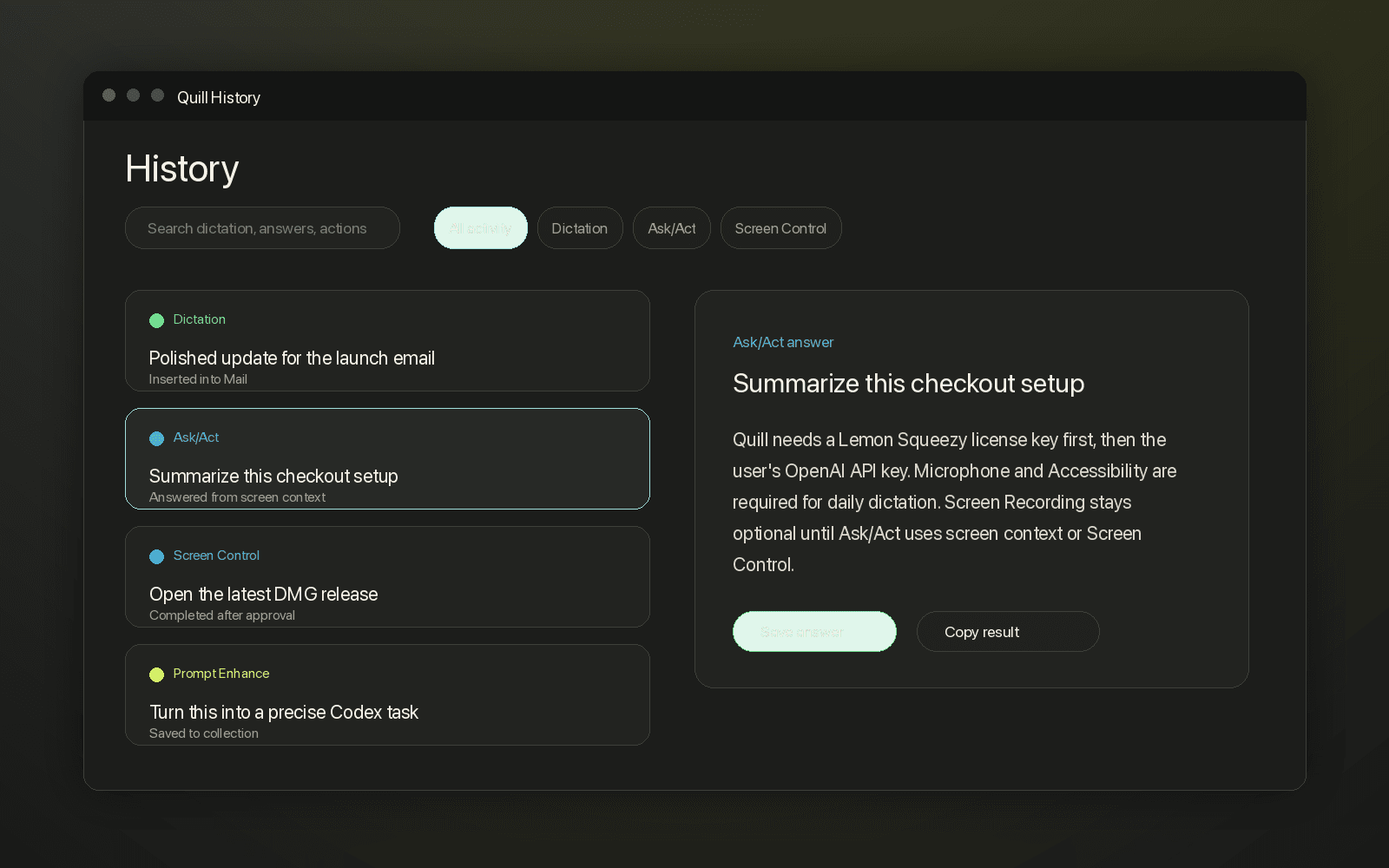
Not in a Quill cloud. Recent runs can be saved locally on your Mac for history and recovery; you can turn local history off or clear it from Settings > Privacy.
It's off by default. When enabled, sensitive, destructive, provider-flagged, and uncertain steps require approval. Depending on your approval profile, low-risk steps may be reviewer-cleared. Blocked apps stay blocked, and ⌥Esc stops everything instantly.
First activation needs internet, then license validation is cached. Transcription itself requires a connection to the configured model provider.
